Color Consistency Across Website, Brand Kit, and Print: A Practical Guide for Small Business Sites
Color is one of the fastest ways people recognize a brand. A visitor may not remember every line of copy on a small business website, but they often remember the atmosphere: the fresh green of a wellness studio, the confident blue of a professional service, the warm accent color on a booking button, or the restrained palette that makes a product page feel premium.
The problem is that color consistency becomes harder once a brand moves beyond a website builder. The same color may appear in a logo file, a landing page template, a social graphic, a PDF brochure, a printed flyer, packaging, signage, and email graphics. If each channel uses a slightly different version, the brand starts to feel accidental.
Why color drift happens
Most website projects begin with digital color values such as HEX or RGB. Print vendors, packaging partners, and design files may use CMYK, Pantone references, or other production-specific systems. Screens also vary. A color that looks bright on a laptop can feel dull on a matte flyer, while a rich printed shade can look too heavy in a website header.
Small businesses are especially vulnerable because brand decisions are often spread across several tools. A founder may update a WordPress theme, a freelancer may create a brochure, and a team member may build a landing page from a template. Without a shared reference, every person makes a reasonable guess, and the guesses slowly move apart.
Build a small but useful color system
A brand does not need a 60-page guideline document to stay consistent. For most small business sites, a compact color system is enough. The important part is to define each color by role, not only by appearance. A palette becomes easier to use when everyone knows which color belongs to calls to action, backgrounds, headings, borders, alerts, and printed accents.
| Color role | Digital use | Print use |
| Primary brand color | Logo, header accents, key sections | Business cards, flyers, signage |
| CTA color | Buttons, links, booking prompts | Event cards, QR code callouts |
| Neutral background | Page sections, cards, forms | Brochure panels, product sheets |
| Support accent | Badges, highlights, icons | Packaging stickers, inserts |
Start with the website, then document the rules
The website is often the most visible expression of the brand, so it is a sensible starting point. Review the home page, landing pages, contact forms, product pages, and blog templates. Look for repeated color decisions: button states, section backgrounds, link colors, icon accents, form borders, and hover effects.
Once those choices are stable, record them in a brand kit. A good lightweight kit should include HEX values for digital work, accessibility notes for text contrast, approximate print equivalents where needed, and short usage notes. This helps the next person working in a website builder, email tool, or print layout tool understand the intended system.
A five-point brand kit checklist
- Name each core color by role, such as Primary, CTA, Background, Accent, and Text.
- Save digital values in HEX and RGB for website and social media work.
- Keep print-ready references for flyers, posters, business cards, and packaging.
- Test important combinations for readability, especially buttons and form labels.
- Store the palette where anyone updating the online presence can find it.
Match the conversion path, not just the logo
Many teams focus on making the logo color match, but the conversion path matters just as much. If a visitor sees a printed flyer at an event, scans a QR code, and lands on a booking page, the button color, background tone, and visual hierarchy should feel familiar. The transition should reassure the visitor that they are in the right place.
This is where color becomes part of usability. Consistent CTA colors help people recognize what is clickable. Consistent background colors help page sections feel predictable. Consistent accent colors help blog graphics, lead magnets, and printed handouts look like parts of the same brand rather than separate experiments.
Translate colors carefully between digital and print
When small teams need to compare website colors with print-ready references for flyers, packaging, or offline brand assets, Hue.ink can support a more consistent workflow between a landing page palette, brand kit, and the physical materials that extend a business’s online presence.
The key is not to expect every medium to look identical. Paper stock, ink, lighting, and screens all change perception. The practical goal is controlled similarity: colors should feel like the same brand family, support the same hierarchy, and avoid surprising shifts that make the business look less polished.
Test color where customers actually see it
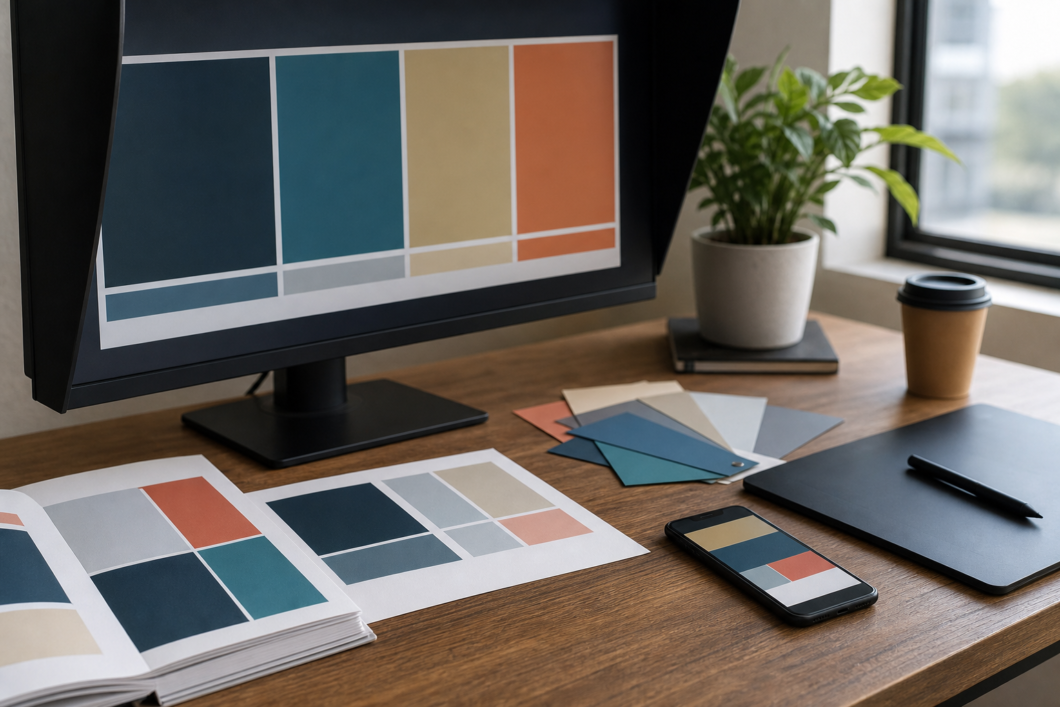
A palette that looks perfect in a design file may behave differently in the real world. Test the website on a phone in daylight, review print proofs under normal indoor lighting, and compare social graphics on both desktop and mobile screens. If the business uses physical spaces, check colors in the room where customers will encounter them.
- Check whether CTA buttons still stand out on mobile landing pages.
- Print a small proof before ordering a large run of flyers or cards.
- Compare printed materials beside the live website, not only beside a design mockup.
- Make sure text contrast remains strong for accessibility and readability.
- Update the brand kit whenever a color decision becomes permanent.
Avoid overcomplicating the palette
A common mistake is adding a new color every time a new asset is created. One color for a seasonal offer, another for a webinar, another for a print piece, and another for a blog graphic can quickly dilute recognition. A small, disciplined palette usually performs better than a large palette with unclear rules.
For most small business websites, three to six functional colors are enough: a primary brand color, a CTA color, one or two neutrals, a text color, and one support accent. The palette can still feel flexible through photography, spacing, layout, typography, and illustration style. Color should guide the experience, not carry the entire design system alone.
Make consistency easy for future updates
The best color system is the one people actually use. Put the palette in the website builder settings, save it in design templates, include it in onboarding notes for freelancers, and keep print references near vendor files. When a landing page needs a quick update, the correct color should be easier to find than an improvised alternative.
Color consistency is not about making every asset rigid. It is about helping customers move from website to print, from print to landing page, and from first impression to action without wondering whether they have left the brand. A clear palette gives a small business the quiet advantage of looking organized everywhere it shows up.